Choosing between these two operating systems means weighing more than the version number. You're also deciding between installation media: a DVD you can carry or a USB drive that plugs in directly. The Windows 10 Pro DVD comes in at $25.00, while the Windows 11 Pro USB is $29.99, a $4.99 difference. But the real question is which one fits your PC's capabilities and your preferred way to install an OS.
Quick Verdict
If you want to spend less and your machine has a DVD drive, the Win 10 Pro 64 bit DVD with Product License Key New Sealed is the one that costs less. If you're ready for the newest Windows and want the flexibility of a bootable USB drive, the Microsoft Windows 11 Pro 64-Bit USB Flash Drive License Key is the one to choose.
Comparison
Here's how the two stack up:
| Product | Format | Price | Price Bar | Minimum RAM / Hard Drive |
|---|---|---|---|---|
| Win 10 Pro 64 bit DVD with Product License Key New Sealed | DVD | USD 25.00 | 2 GB / 20 GB | |
| Microsoft Windows 11 Pro 64-Bit USB Flash Drive License Key READ DESCRIPTION | USB | USD 29.99 | 4 GB / 64 GB |
What to Consider
- Media format: The DVD option needs an optical drive inside your computer or connected externally; the USB option is ready to boot from any available USB port.
- System requirements: The Windows 10 build has lower minimums (2 GB RAM, 20 GB storage), so it can work on older hardware. The Windows 11 build needs 4 GB RAM and 64 GB storage, which is more demanding.
- OS version: Windows 11 Pro is the newer operating system, while Windows 10 Pro is the previous release. Choose based on your comfort with the older interface versus the new one.
Product Notes
Win 10 Pro 64 bit DVD with Product License Key New Sealed
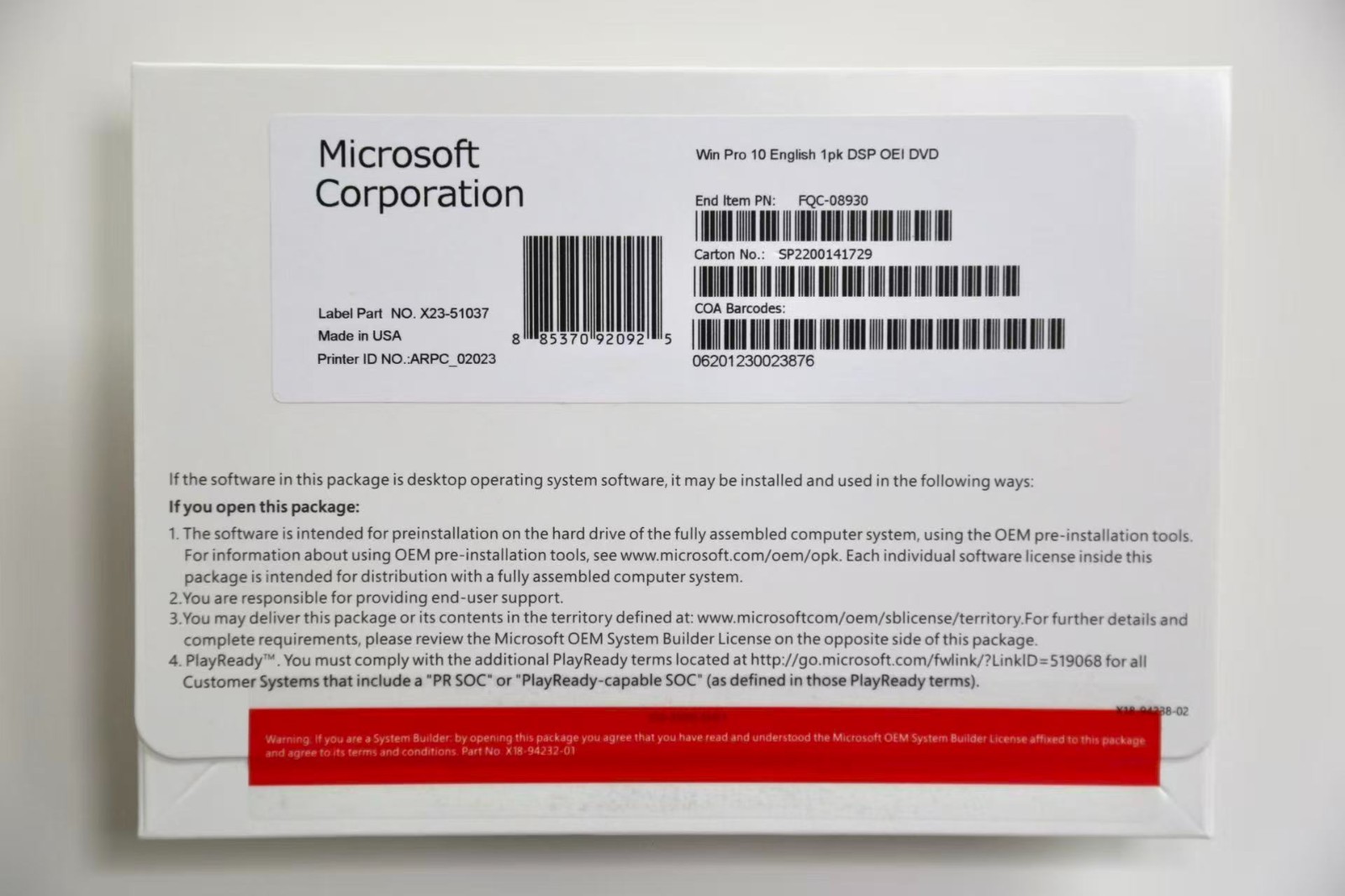
If you're comfortable with DVD installation, this Windows 10 Pro edition comes on a physical DVD and includes a product license key. The system requirements are modest, making it a possible fit for older or less powerful PCs that don't have the resources for Windows 11. The package is described as brand new and sealed, and it comes with a lifetime warranty. It's in English and made by Microsoft in the United States. The main limitation is the media type: you'll need an optical drive to install it. Windows 10 is also the previous version compared to Windows 11, so you're not getting the newest OS. For a simple installation on a machine that already runs Windows 10, this is a straightforward option.
Microsoft Windows 11 Pro 64-Bit USB Flash Drive License Key READ DESCRIPTION
This is the option to pick if you want the newest Windows Pro release and want to install from a USB drive. It arrives as a bootable USB flash drive with a license key, so you don't need a DVD drive at all. The title explicitly says to read the description for terms, and that's worth doing: the box is not included, so you're receiving the USB and the key only. The license activates one device, which is typical for a single-PC setup. The system requirements are higher, so make sure your machine can handle Windows 11. If it can, you get the convenience of a portable USB install and the newer Windows 11 Pro interface without hunting for a DVD drive.
Final Choice by Use Case
If your computer has an optical drive and you want a straightforward install with modest requirements, choose the Win 10 Pro DVD. If your system meets the Windows 11 requirements and you need the convenience of a bootable USB without an optical drive, pick the Windows 11 Pro USB. The right answer depends on your hardware and whether you prefer the older OS or the newer Windows 11 release.
