When you're shopping for office productivity software, a PDF creator/editor is one of the most practical tools to have on hand. But here you're facing two PDF24 listings that look similar at first: one that arrives on USB/DVD and one that comes as a DVD with manuals. Which one gets the job done without wasting money or leaving you with install headaches?
Quick verdict
If you want the convenience of USB media and a more detailed feature list, go with the PDF 24 Creator USB/DVD at USD 28.49. It highlights converting text, objects, images, and forms, and bundles a USB-C adapter. If you'd rather keep the price down and are fine with a DVD installer, the PDF 24 DVD with Manuals at USD 14.99 is the straightforward pick.
At a glance
| Product | Listed Price | Price Bar | Media & Extras | Best For |
|---|---|---|---|---|
| PDF 24 Creator USB/DVD | USD 28.49 | USB/DVD media, USB-C adapter, desktop app works offline | Those who want USB convenience and a richer feature list | |
| PDF 24 DVD with Manuals | USD 14.99 | DVD media, manuals included, encrypted file transfers | Those who want the lower-priced install route |
Where the USB/DVD edition wins
The PDF 24 Creator USB/DVD listing doesn't just mention PDF creation. It documents a broad set of tools including merging, splitting, compressing, converting, signing, protecting, page numbering, watermarking, OCR, image conversion, and PDF comparison. It also states that the desktop app works offline, which is useful if you want to process documents locally. The media listing includes USB plus a DVD drive and a USB-C adapter, which makes it easier to use on machines that lack a built-in optical drive. It's the higher-priced option, but you get a more explicit feature set.
Where the DVD edition wins
The PDF 24 DVD with Manuals is the lower-priced choice, and it comes with manuals included. The title positions it as a PDF creator/editor for Windows, and the description emphasizes a "print" style PDF creation, a wide collection of tools, and encrypted file transfers. That can be enough if your workflow is straightforward and your machine can read a DVD. You're still getting a lifetime license for Windows 10 and 11, with a lower listed price.
Product notes
PDF 24 Creator & Editor Software (USB/DVD)
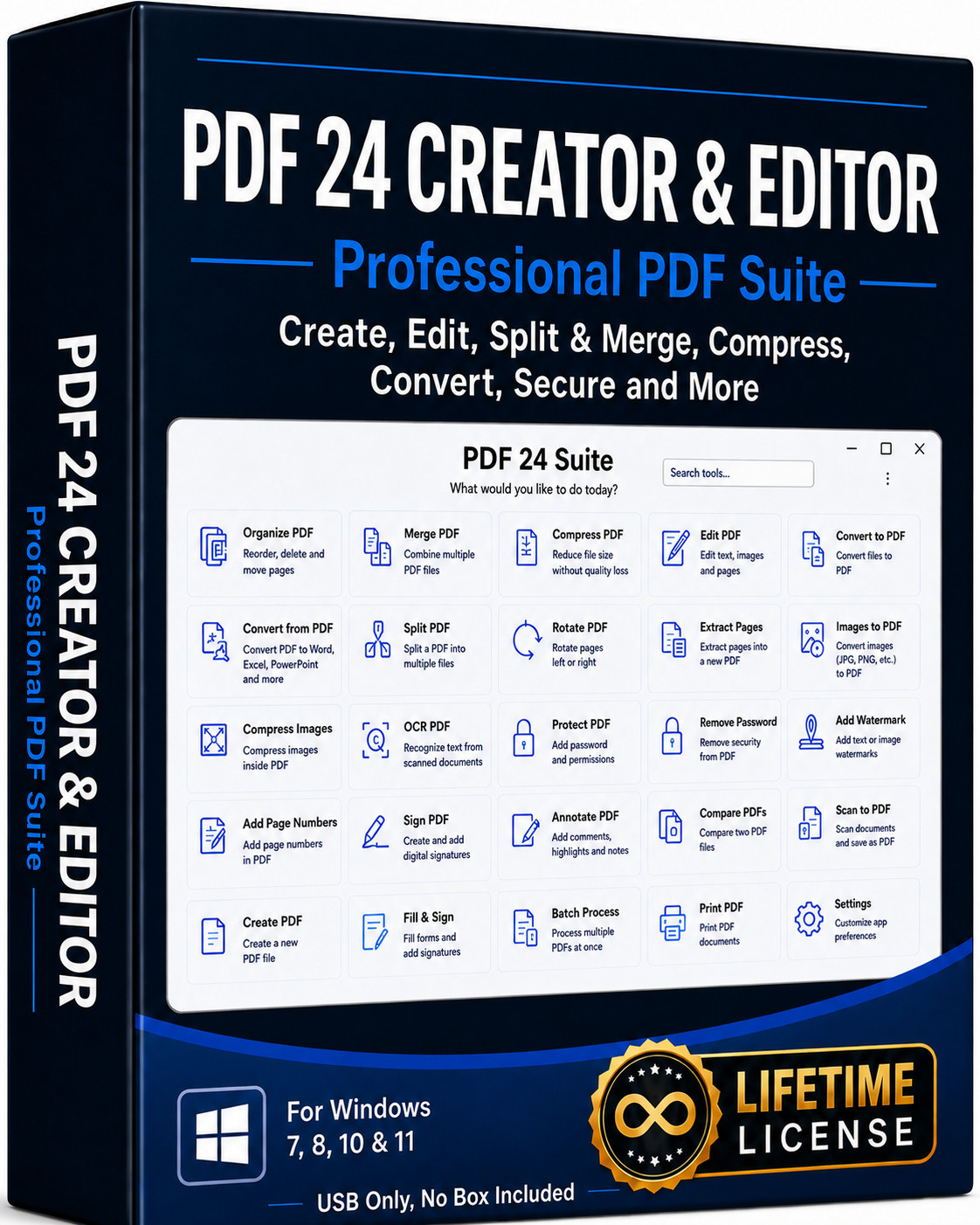
This is the more feature-forward listing. The package description covers create, edit, merge, split, compress, convert, organize, sign, protect, and manage PDFs, and it names OCR, page numbering, watermarking, PDF comparison, and image conversion. It also says the desktop app works offline, so you don't have to upload documents for supported tasks. Choose it when you want USB-media convenience and a USB-C adapter in the bundle. The trade-off? It's the higher-priced listing at USD 28.49, and the attribute note says only the disc is included without a box. If those extras and the explicit feature list matter to you, it earns its place.
PDF 24 PDF Creator/Editor DVD with Manuals
This listing is the lower-priced route at USD 14.99. The key attractions are the DVD-based installer and the mention of manuals included, plus a lifetime license for Windows 10 and Windows 11. The description describes a "printer-style" approach to PDF creation, a wide collection of PDF tools, and encrypted file transfers. The model is listed as PDF24 PDF Tools, and the minimum RAM is 2 GB, which can be helpful if you're checking older hardware. The limitation is physical media: it's DVD-only, so you'll need an optical drive or an external one to use it. It doesn't mention a USB-C adapter or the same list of OCR/watermarking tools in the title. If your computer can read a DVD and you're watching your spending, this is the simpler pick.
Final choice by use case
Choose the PDF 24 Creator USB/DVD when you want the convenience of USB media, the USB-C adapter, and a documented feature list that includes OCR, watermarking, and offline work. Choose the PDF 24 DVD with Manuals when you prefer the lower listed price and want manuals included, and you're comfortable installing from a DVD. Both are lifetime PDF toolkits for Windows 10/11, so the real decision is media, extras, and price.
